Name your price. Specialists bid it down.
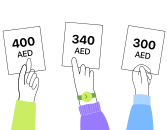
Post what you need with the most you’ll pay. Verified specialists compete by lowering their bids, you award the one you want, and you pay only when the work is done.
How it works for customers
2 minutes
Post your order
Pick a category, describe the work, add photos and pin the address on the map. Set the most you’ll pay and a deadline. Posting is free.
While it’s open
Specialists bid it down
Every bid is at or below your budget, and a bid can only ever go lower. See each specialist’s price, rating, reviews and completed orders before you choose.
When you’re ready
You award the winner
Nothing is automatic. The lowest bid is a signal, not a rule — award the specialist you want, and the other bids close.
On award
The price is locked, nothing is charged
The order is awarded at the winning bid, and nothing is charged — you pay when the work is done. The specialist accepts within 24 hours, or the order moves on to another bid.
When it’s done
Pay in cash when it’s done
The specialist marks the order delivered. When the work is done, pay them directly in cash and confirm completion — Lowr does not hold or protect this payment. Something wrong? Open a dispute and our team reviews it.
After
Rate each other
Reviews are two-way and come only from completed orders, so every score on Lowr is earned.




Why it works
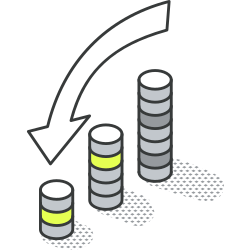
Prices only go down
Specialists compete by lowering their bids, so the competition works for you.

You stay in control
You choose who wins, and you pay only when the work is done.

Verified specialists
Our team approves every specialist in each category they work in, and checks a licence where one is required.

Still have a question?
The Help centre answers the common ones — bidding, payments, disputes and your account.
Ready when you are
Post your first order in a couple of minutes, or apply to start bidding.